Visuals
Wuthering Waves ESP and Radar: Players, Enemies, and Range
Oct 8, 2026 · Updated Nov 21, 2026 · 4 min read
How to keep Wuthering Waves ESP and radar readable on PC: player boxes, enemy tracking, item markers, and a distance cap that does not bury the fight.
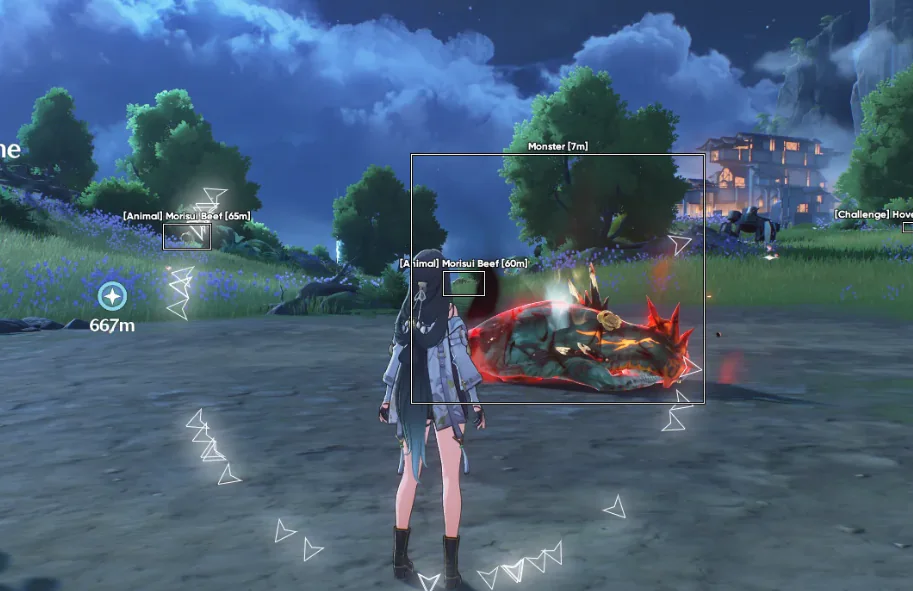
ESP is information. It does not play the character for you. On Wuthering Waves that distinction matters, because the camera is already busy: dodges, skills, Echoes, and other players in co-op. An overlay that paints everything is worse than no overlay.
What the Complete listing groups
Player and NPC ESP covers identification, names, health, distance, boxes, skeleton, and snaplines. Enemy ESP is the hostile-target layer, with its own radar indicators. Item and object ESP mark the pickups, containers, and interactive objects the merchant lists. The 2D radar ties players, NPCs, enemies, items, and objects into one rotatable map with a range and a size you can change.
Confirm those groups on the Complete page and again on checkout. If a toggle is missing from the live list, it is not part of the product.
Range is the real setting
Max distance is where people wreck a session. Open terrain can take a longer radar. A city, a cave, or a boss arena usually cannot. Cap ESP distance first. If the frame rate drops, drop skeleton before you drop boxes. Snaplines help when you lose orientation. They also cross the middle of the screen. Pick one strong cue instead of all of them.
Colors matter at night and in bright outdoor zones. A white box on a pale sky is not information. Save a darker palette and a brighter one if you switch areas often. That belongs in the config presets guide.
Radar versus the full overlay
The radar is the layer you can leave on when the world is already loud. Labels and rotation keep it honest when vertical terrain breaks line of sight. It is not a substitute for looking at the enemy in front of you. Treat it as a second glance, then go back to the fight.
Aim settings live in a different menu. If the overlay is readable and the aim pull is not, that is an aimbot settings problem, not a reason to add more boxes.
Record a local clip before you share a screen. Capture modes are discussed in the forum, and a test takes less time than explaining a leaked overlay later.
Questions about this guide
- Should I turn every ESP layer on?
- No. A city with boxes, skeletons, snaplines, and item labels at max range is how you lose frames and lose the fight.
- Is ESP lower risk than aimbot?
- It can look quieter in a clip. It is still third-party software. Leaving aimbot off does not make an overlay allowed.
Keep reading

Cloud DMA
Cloud DMA Software: What This Listing Does
Cloud DMA on this site is a single-PC Hyper-V layer for Wuthering Waves Cheats, not a second computer or a DMA box. Confirm the live listing before you pay.
Nov 21, 2026 4 min read
Read Cloud DMA guide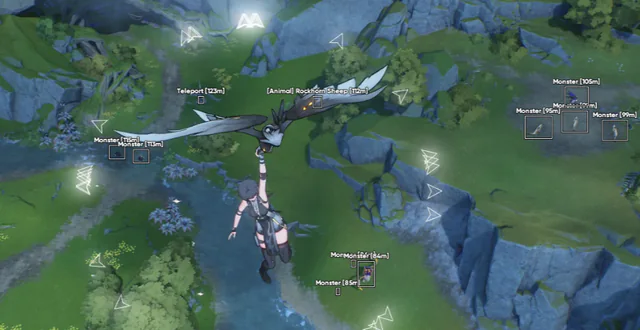
Buyer's Guide
Best Wuthering Waves Cheats in 2026: What to Check Before You Buy
A buyer's checklist for Wuthering Waves Cheats on PC: module lists, live status, loader delivery, and what to confirm before you pay.
Oct 22, 2026 4 min read
Read buyer guide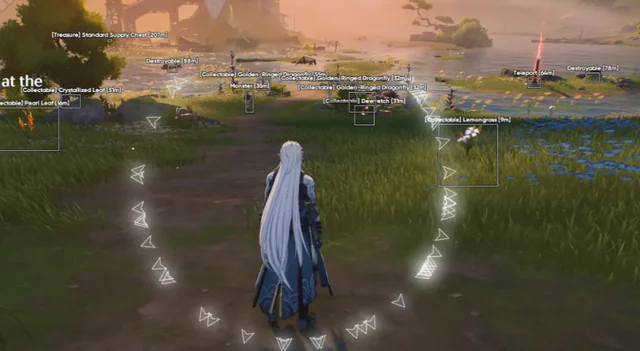
Settings
Wuthering Waves Aimbot Settings: FOV, Smoothing, and Bones
How to tune Wuthering Waves aimbot settings on PC: FOV, smoothing, bone selection, visibility checks, and distance caps without a hard snap.
Oct 18, 2026 4 min read
Read settings guide